Setting Up a File Transfer Protocol
- On the Edit menu, click File Transfer Properties, then click the File Transfer tab.
- Click the Setup button. The File Transfer Protocol Setup dialog displays.
You see the File Transfer Protocol Setup dialog box.
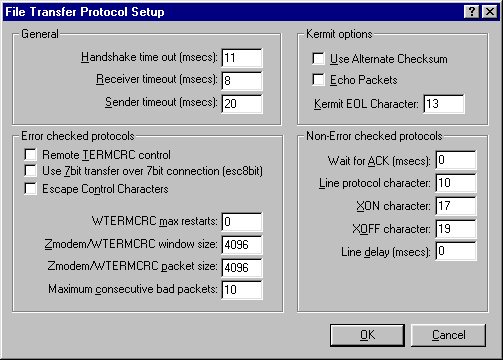
- Click here for descriptions of the File Transfer Protocol Settingsoptions.
- To accept the new settings, press ENTER or click OK. To reject the new
settings, press ESC or click Cancel.